Use Separate AI Accounts on a Mac with SecondMac
By 100xToday · Updated November 8, 2026
SecondMac manages independent profiles for supported Mac apps and browsers. You can use these profiles to keep different AI accounts and projects separate while working on the same Mac.
Choose the account setup you need
For example, keep a work account and a personal account in different supported app profiles, or use separate browser profiles for web-based AI services. ChatGPT, Claude, and xAI services have their own account rules and subscriptions. SecondMac is an independent utility and does not provide or unlock paid AI access.
Create separate profiles
- Install the original supported desktop app or browser.
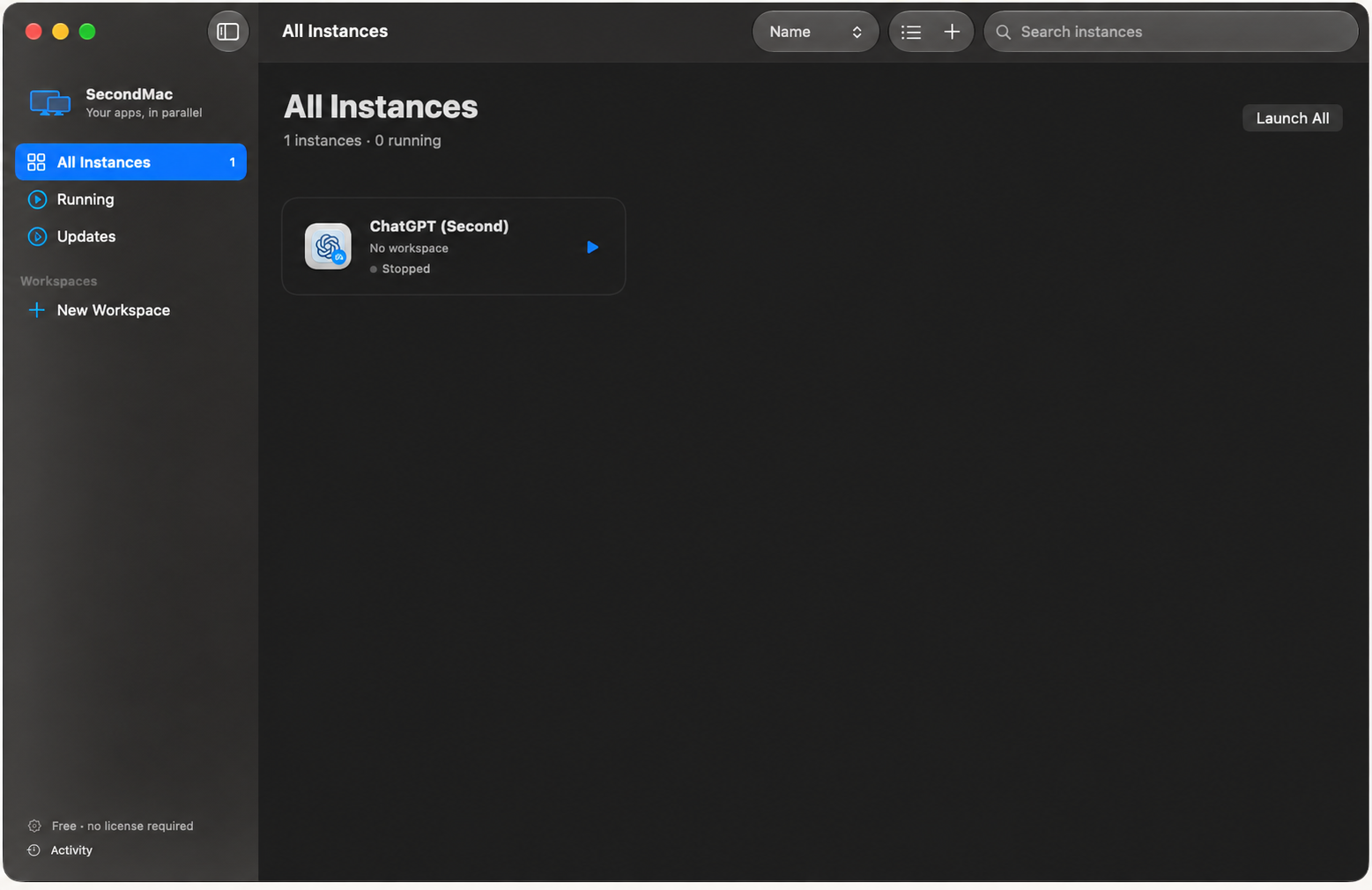
- Open SecondMac and use the new-instance control to choose it.
- Name the instance Work, Personal, or your project name, and assign a workspace if useful.
- Launch the instance from SecondMac and sign in to the intended service account.
- Create another profile for a different account, then manage both in All Instances or Running.
Will every AI app work?
No. Compatibility depends on the installed app, its engine, macOS version, vendor login rules, and updates. Use a supported browser profile for a web service when appropriate. Not every native or sandboxed Mac App Store app can be managed. Check compatibility before buying.
Do separate profiles make a security sandbox?
No. Profile separation organizes sessions and settings; it is not a separate macOS user or an operating-system security boundary. Back up important data and follow each service’s terms.
What does SecondMac cost?
The free allowance is 25 minutes daily. A $4.99 USD one-time license removes the timer for SecondMac on one active Mac. It does not include third-party subscriptions. See the current download and requirements or installation instructions.