Mac Care and Storage Analyzer
Scan for common storage issues, see the space used by each category, and review cleanup choices before removing anything.

See what’s taking up space, review what you can clean, and scan for malware from one place. See what each scan finds and choose which files to move to the Trash.
Version 1.14.1 · Apple Silicon · macOS 13 or later
Try it for 25 minutes a day. A $9.99 lifetime license unlocks the app on one Mac. Pay securely with Square. After purchase, copy your Mac ID from CleanmyMak’s Enter License Key window into My Purchases to get your key.
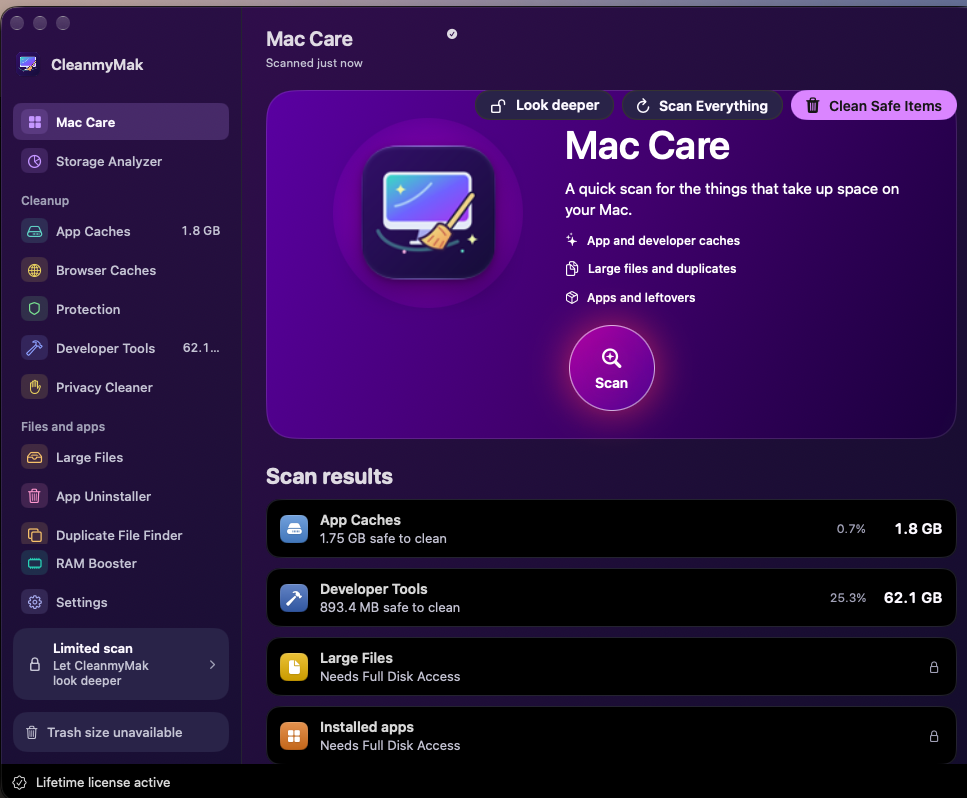
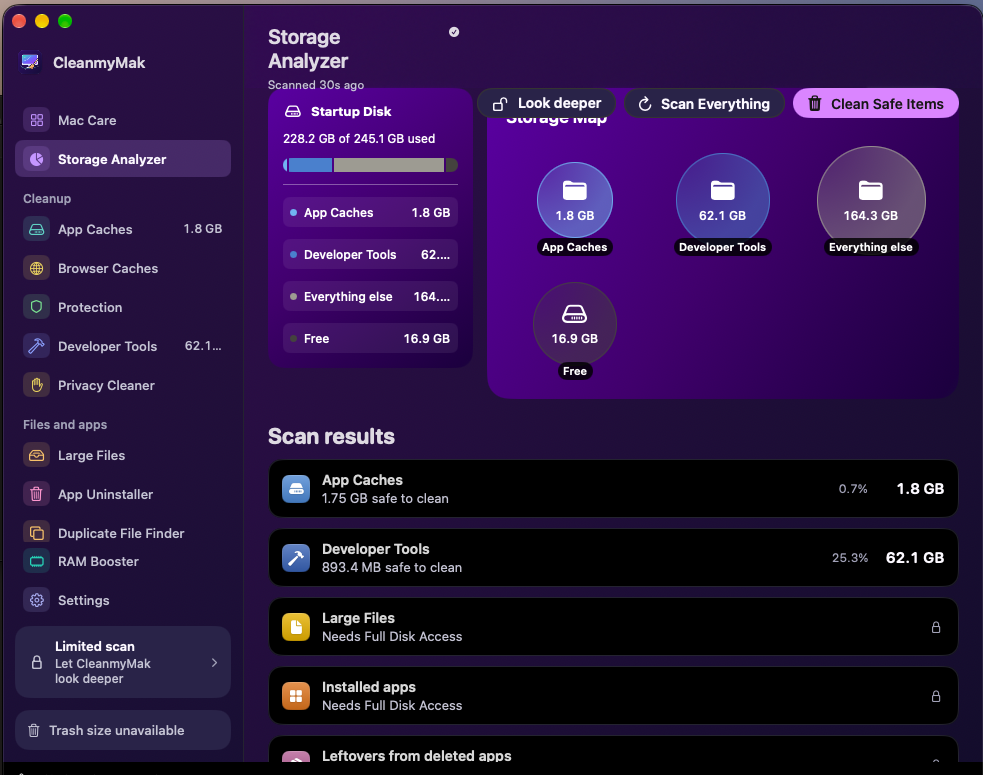
Scan for common storage issues, see the space used by each category, and review cleanup choices before removing anything.
Find eligible temporary files created by apps, supported browsers, and development tools. Privacy Cleaner brings supported browser and app cache cleanup together.
Review large files and groups of duplicates, compare their sizes and locations, and choose which files to remove.
Review installed apps and associated files, and look for leftovers from apps you already removed.
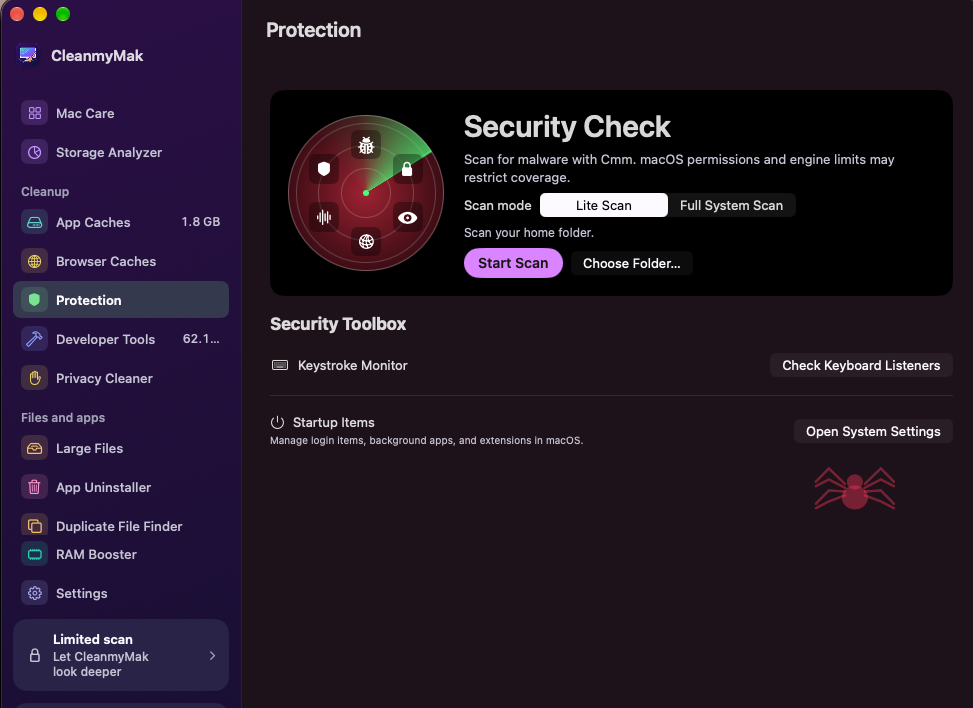
Scan your home folder, accessible files across the Mac, or a folder you choose. See progress, stop a scan, and review flagged files before removing them. Scans require the Cmm engine and current signatures. Coverage depends on macOS permissions.
Check for processes that listen for keyboard events and open the native macOS Startup Items settings to manage login items and background apps.
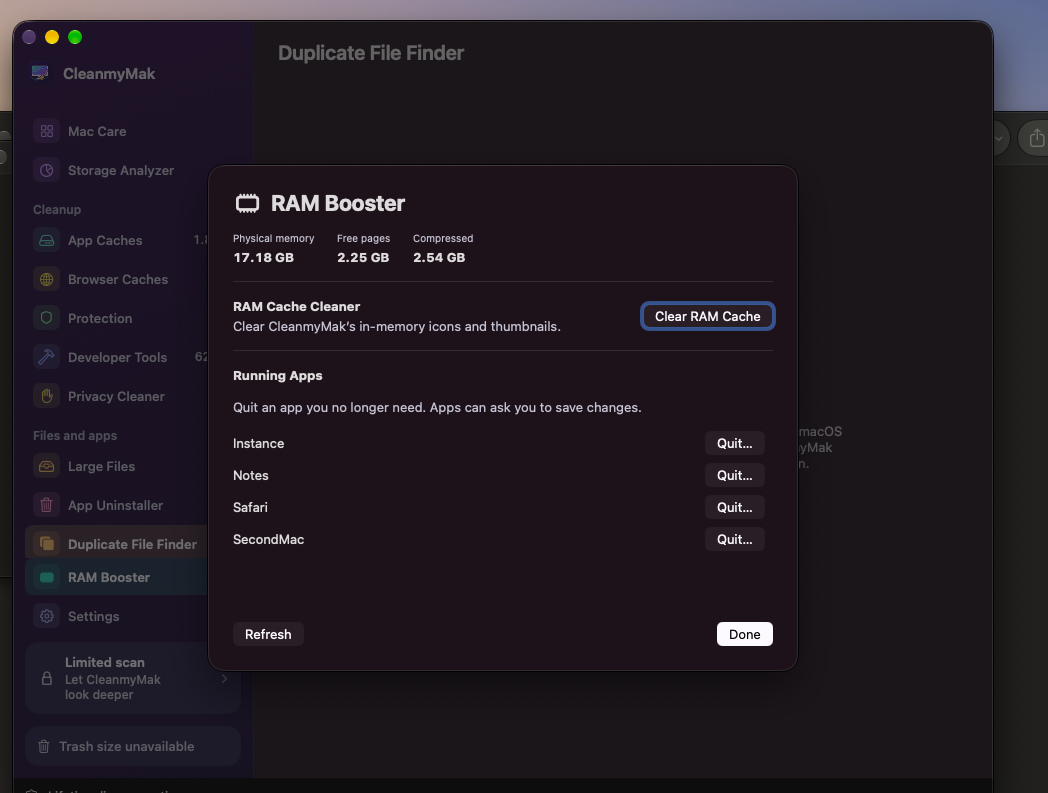
See physical, free, and compressed memory. Quit selected apps normally or clear CleanmyMak’s own in-memory icon and thumbnail caches.
Review how much space was removed with cleanup summaries, visual feedback, and sound cues.